
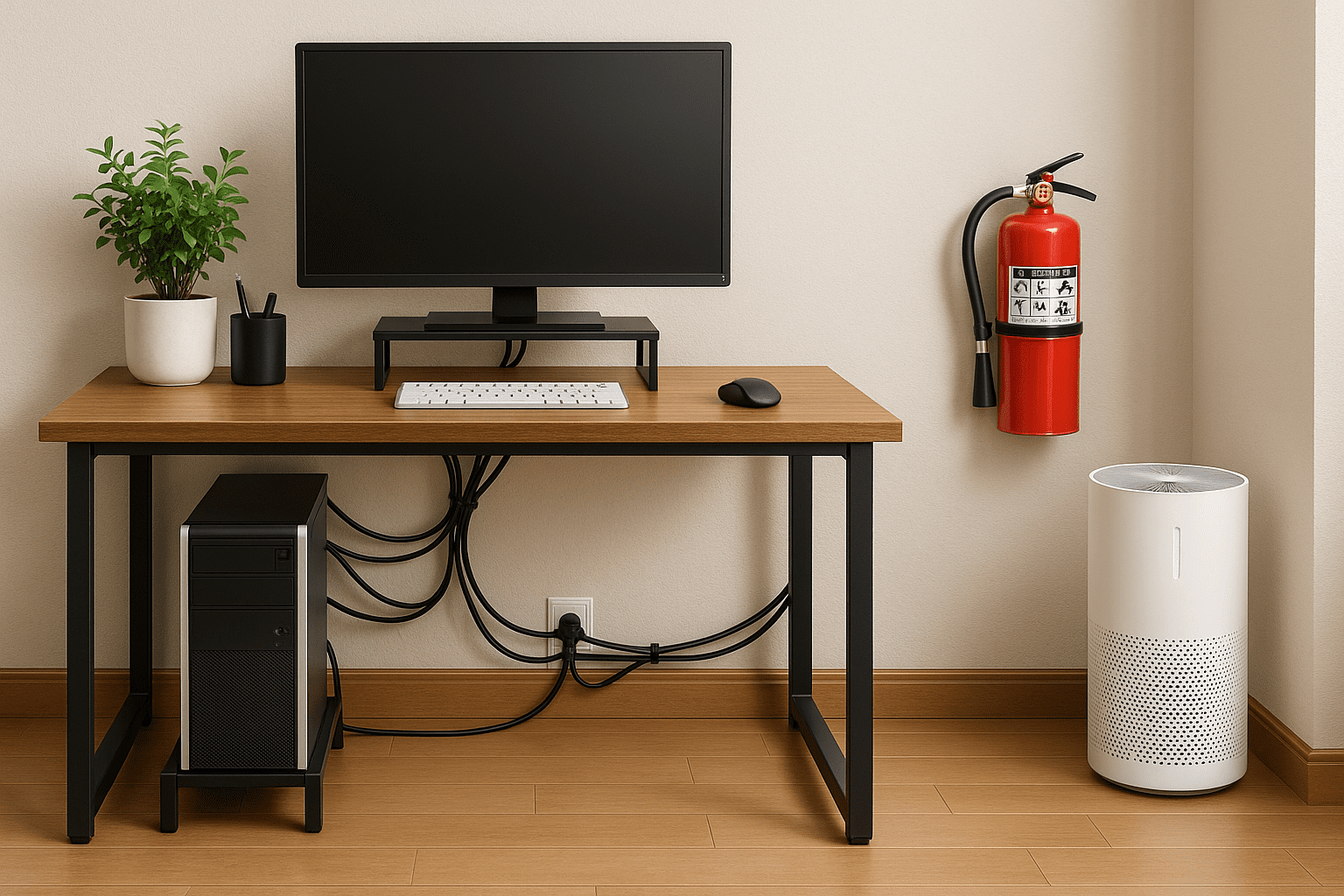
Working from home feels a bit like living in a fortress of solitude until your cat knocks over a cup of coffee on your keyboard, or the power blinks out mid-Zoom call. Remote work means your home office is the heart of your productivity and your paycheck, so why leave its safety up to chance? If you think disaster strikes only in movies, talk to anyone who has lost everything to burst pipes, random power surges, or a surprise tornado. This guide is for anyone who values their sanity and their stuff. We are talking kettlebell-heavy safety tips mixed with real-world humor and advice straight from restoration specialists on what it actually takes to keep your workspace safe.
Why Remote Work Demands New Safety Standards
Remote work is not just a perk. For many, it is permanent. Your home office now contains thousands of dollars in equipment, years of irreplaceable data, and probably that fifth mug nobody has cleaned since 2021. Workspaces carved out of living rooms or spare bedrooms are prone to hazards offices solved ages ago, like tangled cords, leaky windows, and rickety surge strips you bought back when Y2K was still a thing. Daily distractions mask serious risks. A water leak can short-circuit everything, or a candle left burning too close to paperwork can end a career faster than a bad quarterly review.
When you set up an office in your home, you inherit every problem that building ever had, electrical quirks, moisture problems, iffy doors, and you need solutions that work for the long run. Disaster-proofing your workspace means not just surviving storms and blackouts. It means keeping yourself healthy, keeping your productivity high, and not letting one spilled can of LaCroix become the stuff of legend at the IT department’s horror story night.
Defending Electronics from Water and Fire
Let’s talk about your gear. Laptops, monitors, routers, printers, external drives; each comes with a price tag and a personal guarantee they will pick the worst moment to fail. Water can ruin everything in seconds, and fire? Even the best insurance company can’t replace lost projects and client records without a lot of stress and swearing.
To protect electronics against water, never put anything valuable on the floor. Carpets soak up leaks, puddles form under desks, drinks spill. Even small flooding from rain or a careless pet can wipe out a power strip, then send a chain of bad luck up your entire rig. Set your equipment up high on sturdy desks or stands. Use plastic risers or waterproof mats beneath power sources. When possible, keep the heavier tower cases off the ground.
Power surges are both silent and devastating. Surges fry motherboards and hard drives. Always use quality surge protectors, not just bargain bin power strips. If lightning is forecast or there’s a risk of outage, unplug your gear and wait it out. Many surge protectors show signs of wear; replace them every five years, minimum. Trust me, as someone who has seen burnt-out sockets and the smell of cooked plastic, you want to avoid this at all costs. (See research from Time.com)
Fire safety feels excessive until you actually need a fire extinguisher. Keep a working extinguisher close to your workspace. Use one rated for electronics, not just kitchen grease. Don’t store paperwork or cardboard near sockets or power strips. Test your smoke detectors monthly; too many homes ignore this basic checklist. Changing the batteries twice a year is as basic as making coffee. (Family disaster tips)
Clean Air: Making Home Offices Less Like Closet Dungeons
Did you know that indoor air is often more polluted than what you breathe outside? Working from home means you subject yourself to dust, pet hair, paint fumes, and the delightful aroma of last night’s leftovers. Poor air quality messes with your health, makes you groggy, and can trap allergens until you’re too tired to care.
Create cross-ventilation through open windows where possible. A simple box fan can freshen the room faster than you think. Air purifiers help remove dust, pollen, and odors, especially if you live near highways or have pets that think your keyboard is a pillow. Replace filters regularly, dirty filters become pollen catapults. Consider houseplants that naturally scrub the air; spider plants and peace lilies put air scrubbers to shame on many allergies. Don’t forget about humidity. Too much moisture breeds mold, too little dries you out. Aim for a middle ground using a dehumidifier or humidifier based on the season.
Cable Management for More Than Just Aesthetics
Tripping over a bundle of extension cords can ruin your day, send your iced coffee into orbit, or even cause serious injury. Cords underfoot are a menace, and yes, unsightly. Smart cable management solves more than a clutter problem. It’s a safety investment.
Use cable trays fixed under desks, or fasten cords along the wall with adhesive clips. Bundle any slack using Velcro ties. If you run cords under rugs, choose rubber backed runners designed for that purpose. Don’t string wires across open walkways, even temporarily. Floor cable protectors provide a cleaner, more professional look, and keep everything routed out of harm’s way. Tidy cords mean you won’t accidentally pull out your monitor when you reach for your phone, and the pets have nowhere to get tangled.
Consider color-coding cables so you can trace problems quickly. Labeling also helps if you ever have to pack up in a hurry due to a serious event or if you just want to prove to your friends that you are now a full-blown tech wizard.
Clutter Control: Clearing Paths and Minds
Remote work is a clutter magnet. Paper piles, snack wrappers, stacks of files, gym shoes left right where you’re likely to forget them. Clutter in your workspace is not just ugly. It blocks exits, raises your fire risk, and makes an already stressful day worse. Every item in your escape path is another thing to trip on when you actually need to get out in an emergency.
Dedicate time weekly to clear your floors. Pick up loose items, throw away what you don’t need, and organize your supplies onto shelves. Storage bins, filing cabinets, and even repurposed boxes keep the chaos at bay. If your workspace shares space with family, arrange clear boundaries, so toys and other distractions stay elsewhere. Walking paths should be clear enough that you could run through blindfolded without injury. That’s not a challenge, but you get the idea.
The mindset shift here comes from treating your office like a place of business, not a junk drawer annex. Less clutter, better focus, fewer accidents , your stress level will thank you.
Building a Thoughtful Emergency Kit
If disaster hits, you need to act fast. Scrambling for batteries, snacks, or first aid should never be part of the plan. The right emergency kit keeps you safe, calm, and maybe even fed until help arrives or the power comes back on. Make this kit easy to grab and fully stocked at all times.
Stock water for at least three days. Pack calorie-dense, non-perishable food like protein bars and canned meals. Store a flashlight with extra batteries, a basic first aid kit, and backup medications if you have any conditions that can’t wait. Don’t overlook chargers for phones or laptops, solar or backup battery banks go a long way. Pack extra masks and gloves if your area faces higher disaster risks or public health emergencies. (NIH preparedness tips)
Revisit your kit every six months. Rotate out expired food, swap out batteries, and keep everything accessible but not so out in the open that someone borrows things for a camping trip and never returns them.
Emergency Plans That Actually Work
Having an emergency plan sounds obvious, but who really plans for freak snowstorms or sudden evacuations? Most people just hope for the best, then panic when the alarm goes off. That strategy is about as effective as using a cheese grater for self defense.
Write down how to contact family, colleagues, and your boss if something happens. Phone trees sound old fashioned, but if cell towers go down, you’ll be glad you have a backup. Include local emergency contact numbers and keep a printed copy in your office and on your fridge.
Map out all possible exits. Know which doors or windows work best for a fast escape. Practice those routes occasionally while timing yourself. If your office is upstairs, figure out how to get down fast. Emergency ladders are cheap insurance against worst-case scenarios. Don’t bet your life on good intentions.
If you share your space with anyone, even mildly grumpy pets, talk through plans ahead of time. Assign roles. Have a go-bag ready for pets if needed. Communicate your plan with remote coworkers. Discuss where you will meet virtually or in person if communication fails. Little things like this prevent confusion when every second counts.
Check out your local emergency services online; they may offer more details about evacuation routes and disaster-specific resources. (New York preparedness guide)
Backing Up Documents The Right Way
In 2024, “lost everything in a flood” should not mean you also lost every client proposal, tax return, or the great American novel in progress. Most data loss disasters are preventable. Don’t gamble on luck or say “I’ll do it later.”
Back up digital files regularly. Use both local external drives and secure cloud services. Cloud storage lets you recover work from anywhere. Drives help if the internet is down, and let you restore faster in many cases. Encrypt sensitive files, especially anything with payroll, client, or health data. Set up automated backups so you cannot easily forget.
Physical documents need attention too. Use a fire and waterproof safe for birth certificates, insurance records, IDs, and backup drives. Place the safe somewhere easy to grab during an evacuation but hidden enough that it isn’t the first thing a burglar grabs. Test the safe’s seal on occasion, and avoid cheap options that melt faster than bargain chocolate.
Want more guidance on document protection? Resources like Trustworthy.com regularly update best practices for disaster-proofing home offices.
Real-Time Alerts for Real-Life Disasters
No one wants to be the last to know a storm is coming. Early warning can mean the difference between saving your workspace or starting over. Keep a battery-powered NOAA Weather Radio within reach. Sign up for local emergency alert systems through your phone’s settings or government sites. Set custom alarms on your phone for recurring checks if you tend to miss texts or push notifications.
Bookmark community sites and subscribe to city emergency feeds. Know where your closest emergency shelters are, as well as routes to get there. Some communities offer neighborhood signal systems, especially in areas prone to hurricanes or tornadoes. Practice makes perfect. On calm days, make checking alerts part of your morning routine, just after you beg the coffee machine to do its job.
Take information from trustworthy sources only. Misinformation spreads faster than wildfire after a disaster. Official sources keep your decisions rooted in fact, not rumor hysteria. (Storm alert tips)
Finishing Touches for a Workplace Fortress
Disaster-proofing your home office is about more than protecting gadgets. It’s a full-body checkup for the place where you spend most of your waking hours. From air quality to cable management, the little things stack up fast. Expect your focus to sharpen, your anxiety to drop, and your equipment to last longer. Your productivity climbs, your insurance agent gets fewer calls, and you get peace of mind.
Feeling overwhelmed? Tackle one section at a time. Upgrade surge protection this week, clear the clutter next. Set reminders to refresh your emergency kit every six months. Back up files before every major project. Small changes add up fast. Disaster-proofing is about stewardship, not paranoia. So go on, fortify that lovely little command center of yours, after all, it deserves as much care as your best work.